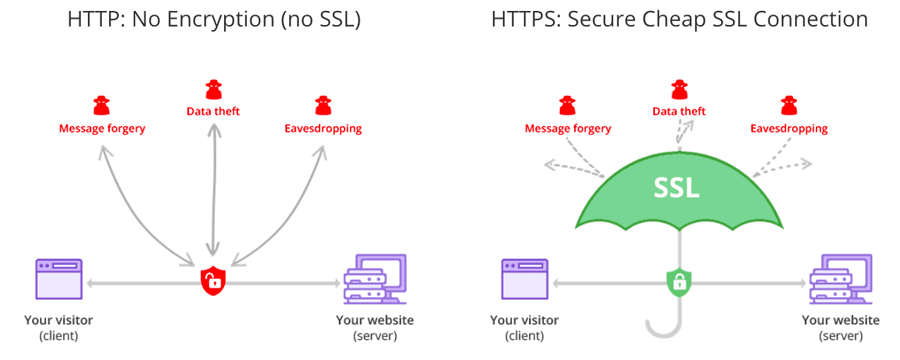
SSL stands for Secure Socket Layer, which is the backbone for the secure internet and it defeds the sensitive content and information present on the site.
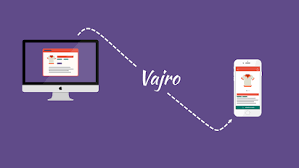
Vajro – The Mobile App for Shopify
Vajro platform provides you the quickest solution to get your Shopify store to a mobile app in just minutes which is very easy and friendly.

What is Freshdesk? Know the Basics!
Want to give your customers the best? Freshdesk is the platform where customers get a solution to all support query problems.
How to Build an Effective Digital Marketing Team?
An effective digital marketing team is essential as the marketplace is undergoing a shift from the real world to the digital,
It is a Biopic kind of story on Naturals CK Kumaravel.
I, Karthi Easwaramoorthy, sat with Naturals CK Kumaravel one fine evening for more than an hour just to have a casual conversation. He explained his journey from his childhood till his recent entry to politics. It was so moving and got the feeling of watching a biopic film. Big thanks to Mr. Kumaravel for sharing his insights on NGO, entrepreneurship, society and politics. The below is from the conversation I had with him. CK Kumaravel, who has never even written a resume, is a successful entrepreneur and a current politician, who caught my attention because his victories seemed to have an inside story that I wanted to know. Even at the slightest chance, I very well knew that his story would motivate me and I’m very sure it will inspire all of you (my readers) too. “Life can be defined by a series of defining moments.” Kumaravel, born and brought up in Cuddalore, strongly believed in the above saying because of his personal experiences. The first spark that ignited his business mind came when his father, Mr Chinnikrishnan, sowed the thought that all his three sons must be job providers and not job seekers. Kumaravel, the last of the three, took his father’s words seriously and prepared himself for it. THE FIRST DEFINING MOMENT “My father told me that the success of a business and English are related, and this defined my future life instantly.” He started while we were having a conversation. As Kumaravel, a 7th standard Tamil-medium student, heard his father say that English is the most important language, he had fear pricking his confidence. However, he never gave up because of what his father had achieved and not achieved in his life. We all know that Mr Chinnikrishnan, someone who did a lot of business especially in the field of Pharma products, is the founder of Velvette International Pharma Products. But how and why did he do it? I got the answers from his third son, Kumaravel, who said, “my father was travelling to Singapore on a business tour and on that tour he sought the first grain to start a shampoo business. One day, the shampoo bottle he had carried in his suitcase broke and this motivated him to introduce shampoo sachets, similar to how he sold the other pharma products. He bought the required raw materials, including machineries and started to invent a whole new brand of shampoo at the age of 45. Different combinations of shampoos were tried on our hair and finally, he found one and packed it into several small sachets with a brand named Velvette.” Kumaravel added, “After my father founded Velvette, he looked at his whole family, us, and said that this will upgrade the level of our living. At that moment I knew that this was a changing point for my father and us.” “You can count the number of seeds within a apple but you can never count the number of apples produced from an apple seed.” He said. Excellent thought process. Chinnikrishnan considered himself as a “failure”, his family and the entire world thought the same when he passed away at the age of 48, as nobody knew that his apple had so many seeds of success in it. After his death, his idea sprouted out to be one of the biggest shampoo brands in the world. Though Velvette stood deep-rooted on its own, its founder was still a failure according to him. This created an impact in Kumaravel and boosted his determination to live his dreams in the life he has. Kumaravel was 13 years old when his father passed away and his mother came up to him and his siblings, and said, “From now on, I’m your mother and father.” Kumaravel could not fathom the actual meaning behind his mother’s words but he understood that his family was in bad shape. This again defined him the actual life and the harsh realities that he needed to face. SECOND DEFINING MOMENT Kumaravel grew up and pursued his Bachelor’s degree in Nutrition and Dietetics at P.S.G. College of Arts and Science. He hung out with a decent group of friends and attended various conferences and events at college. Once, he listened to M.S. Udayamurthy’s speech as he sat on one of those fine auditorium chairs in his college and experienced his second defining moment. Kumaravel stated, “Udayamurthy talked about Gandhi and about how a single man can make a difference. This altered my thinking from ‘how can one man make a difference?’ to ‘I’m that one who’ll make a difference.’” After this inspiring incident, Kumaravel started collecting pebbles to build the bridge to success with more self-confidence, strength, determination and will. Another person who inspired him in the course of his success story was one of his professors, Mr Thyagarajan, who never carried a textbook along with him, not even inside the classrooms. His style transformed Kumaravel and moulded him into the great reader and speaker he is now. Once, Kumaravel was prompted to read Alvin Toffler’s “Future Shock” as Mr Thyagarajan had mentioned about it in one of his speeches. Though the book was lying in the hands of Kumaravel, he could not read more than half a page a day because English was a barrier. However, at times like these, he only let the thought of what his father told him about English linger in his mind as that was the main factor that kept him going. THE THIRD DEFINING MOMENT Kumaravel left to Chennai after his graduation and found himself discovering Landmark bookshop. He bought “Innovative Secrets of Success”, thinking it was a motivational book but later found that it was an audio cassette. So he brought home a walkman and started listening to the audio, which was easily comprehendible for a Tamil-guy like him. This inspired his spirits altogether and made him listen to it regularly. “We never read a book twice but we listen to a song a hundred times.” said
What is google ads or adwords?
The main purpose of Google Ads is that it brings in new customers or leads through search ads, display network ads, and YouTube ads. Quality Score is a factor crucial for running a successful Google ads campaign. There are three main factors determining the Quality score: Ad campaign’s landing pageExpected CTR (Click-through rate)Ad relevance Types of advertising on Google ads: Display adsVideo adsSearch adsApp ads Display ads Display is one of the popular forms of advertising. It is shown as text or banner ads which can show up on Gmail and various websites within the display network. These type of ads are commonly used for remarketing to bring back site visitors who didn’t convert. Search ads The search ads network is the most popular among the other ads. Search network ads show up as a text ad for a given Google search. The search network works by targeting specific keywords that we want to show up for, we bid on them to show up higher in SERP (Search Engine Results Page). Video ads Video ads allows us to create a video ad that shows up on YouTube videos. App ads The app ads allow us to advertise across the entire Google network, mostly on popular Google network based applications. Implementing Google Shopping: Having an e-commerce website allows us to advertise products directly on Google through our online store. YouTube Ads: YouTube ads are created from Google Ads. Any Google ad should contain 3 main segments for an ad to run. 1. Campaign 2. Ad groups 3. Ads So, it is similar with YouTube. We start by creating a new campaign. For video campaigns we can select some goals to begin with or we can go for a custom campaign. Goals available for Video campaigns: SalesLeadsWebsite TrafficProduct & Brand considerationBrand awareness and reach YouTube Video Ad formats : 1. True View ads 2. Non-skippable video ads 3. Bumper ads True View ads: True View In-Stream ads: These ads play during YouTube videos, and they can also play in other places in Google’s display network, like apps or games. True View Discovery ads: Discovery ads are like display ads—in fact, they even used to be called in-display ads. These are the recommended videos that pop up on the YouTube homepage, or as recommended/related videos on the search page. Non-skippable video ads: Non skippable ads can be annoying but they are here to serve a purpose. It should be used only when you want to tell a clear and precise message or promote a product as they run only for 20 seconds. Two types are there in these ads, they are Pre-roll ads which appear before a video plays. Mid-roll ads which appear at the midpoint of 10 minute-or-longer videos. Bumper Ads: Bumper ads are the more tolerable version of non-skippable ads, lasting six seconds at most. They appear at the end of YouTube videos, and are paid for on a CPM(Cost per mille or cost per thousand) basis. Because they’re short, bumper ads are ideal for targeting mobile users. Setting up Campaign: Here, after creating a new campaign we can select Video as campaign type. Then the next process is to set campaign goal and subtype. Naming the campaign and setting up the budget is the next step. Locations and network – This is to setup the right locations for the ad to show and networks where we want the ad to appear. Next is to Mention the target audience’s language and naming the ad group. Next comes the bid amount, which we can set according to the budget. Audience Targeting options in Google Ads: Demographics: The standard demographic filters available are age, gender identity, parental status, and household income. We are also choose detailed demographics like marital status, education and home ownership. Interests: Affinity audiences It’s similar to interests targeting, but casts a wider net. Affinity audiences include groups like people interested in PC gaming, or people who collect dolls. Custom affinity audiences This builds on affinity audiences, offering more specific targeting. Instead of people who like cooking, custom affinity audiences might help us target people who frequently search for example, like barbecue equipment. Life events People’s purchasing habits and brand preferences change when they reach certain milestones, like graduating from college, getting married, or having a baby. Targeting our audience by life event allows us to hone in on these important moments and market accordingly. In-market audiences We can Target our YouTube ads to people searching for products like ours. Google determines whether someone’s “in-market” for a product or service based on ad click history, conversions, search history and how often someone’s searching specific terms. Custom intent audiences This Targets individuals whose search terms indicate they are on the verge of making a purchase. Placement targeting This means choosing to place our ads on unique channels, videos, apps, websites, or placements within websites (such as YouTube channels, and sites on the Display Network.) Topics Here, we can target our video ads to reach a range of videos, channels, and sites relevant to topics of our choosing. Keyword targeting Targeting people based on their search terms. For example, if someone sells plant food, we can target people asking Google why their plants aren’t thriving. Device Target specifically by screen (desktop/mobile/smart TVs). Setting video campaign live: Select the YouTube video you’ve uploaded for this campaign.Select your ad format (In-Stream or Discovery).Click Save and Continue. Now the campaign is set and we can track all the metrics in the overview page or google ads home as it has a lot of options to track metrics. More on Digital Marketing
What are Cluster Keywords and How to Use Them?
Cluster keywords are nothing but defining a cluster of all the related keywords for a particular article to give complete context to search engines.
What is google console?
This was known as Google Webmaster Tools for nearly many years, Google rebranded it as google search console in 2015. Adding a Sitemap: Sitemaps are files that provide the search engines and web crawlers valuable information about how our site is built and the type of content available there. Sitemaps can include metadata, with details about our site such as data about images and video content, and how often our site is updated. By submitting our sitemap to Google Search Console, we are making Google’s job easier by assuring that they have the information they need to do their job. We have to create a sitemap for our site. Something similar to – https://classicpolos.com/sitemap.xml Then, we can easily submit the sitemap from time to time. It is under the Index tab – Sitemaps. Checking a robots.txt file: Having a website doesn’t certainly mean we want to have all of its pages or directories indexed by search engines. If there are some things on our site we would like to keep out of search engines, we can achieve this by using a robots.txt file. A robots.txt file installed in the root of our site tells search engine robots (web crawlers) what we do and do not want to be indexed by using regulations known as the Robots Exclusion Standard. Under the Crawl option, we can choose robots.txt Tester. The Robots.txt Tester Tool will let us examine at our robots.txt file, make changes to it, and it alerts us about any errors it detects. We can also choose from a range of Google’s robots or crawlers and enter a URL we wish to allow/disallow. Then we can run a test to see if the URL is identified by that crawler. Fetch as Google and submit to index: If we have made changes to our website, the quickest way to get the updates indexed by Google is to submit it manually. This will allow any changes done to things such as on-page content, title tags, meta tags, alt text to appear in search results as soon as possible. Again to do this, under the Crawl option we can choose to Fetch as Google or the URL inspection tool. Once we enter the page we need to get indexed, Fetch and Render button sees off the process. Depending on the number/size of pages being fetched or inspected the timing can vary. Site errors in Google Search Console: Google Search Console can promptly notify us of any errors it finds on our site. If we want to check our site for internal errors, We can check that from the Crawl Errors page, which reveals any site or URL errors found by Google’s bots while indexing the page. Any URL errors found will be displayed at the bottom. We can check any of the errors for a description of the error found and further details. Other things for which Google Search Console can be used are: To Identify our highest-traffic pages, monitor our CTR over time, Monitoring our impressions. The ranking factors are a very significant factor and Search console allows us to identify ranking increases and decreases. We can compare our site’s search performance across desktop, mobile, and tablet. We can monitor how many total backlinks our site has and other things concerning SEO. To improve the site’s SEO, this is a great tool and with these reports, we will be easily able to check for errors, rectify the errors, and have keyword ideas and links. Performance tab In the Performance tab, we can see what pages and what keywords our website ranks for in Google. It is likely to see the data for up to 16 months. The data is available from the time we set up the account. By monitoring the performance tab regularly, we can immediately see what keywords or pages need more consideration and optimization. The performance tab has a list of queries, pages, countries, and devices. The search appearance option gives us the opportunity to check how results are doing in search. These sections can be classified by the number of clicks, impressions, CTR, and average position. The amount of clicks tells us how frequently people clicked on the website in the search results of Google. The impressions tell how our website or a specific page is displayed in the search results. The CTR – Click-through rate defines what percentage of people that have seen our website in the search results also clicked through to our website. Here, higher rankings mostly lead to higher click-through rates. The average position section explains what the average ranking of a specific keyword or page was in the time period we picked. URL Inspection The URL Inspection tool helps to examine specific URLs. Basically, what it does is, it recovers the page from Google’s index and compares it with the page as it lives now on our site to see if there are variations. On this page, we can also find more technical information, like when and how Google crawled it and how it seemed when it was crawled. It also tells more about the errors. It also gives information about the data found on the URL. Speed The speed report is a valuable addition. This report gives a good sense of how fast our site loads on mobile and desktop. Additionally, it also tells which pages have issues that keep them from loading quickly. The data is of real users. Links Within the links to our site part, we can find how many links from other sites are aiming at our website. Besides that, we can see what websites link, how many links those websites contain to the site, and lastly, what anchor texts are used most linking to our website. This can be helpful information because links still are very important for SEO. Within the internal links section, we can check what pages of our website are most linked from other places on our site. This list can be worthwhile to examine
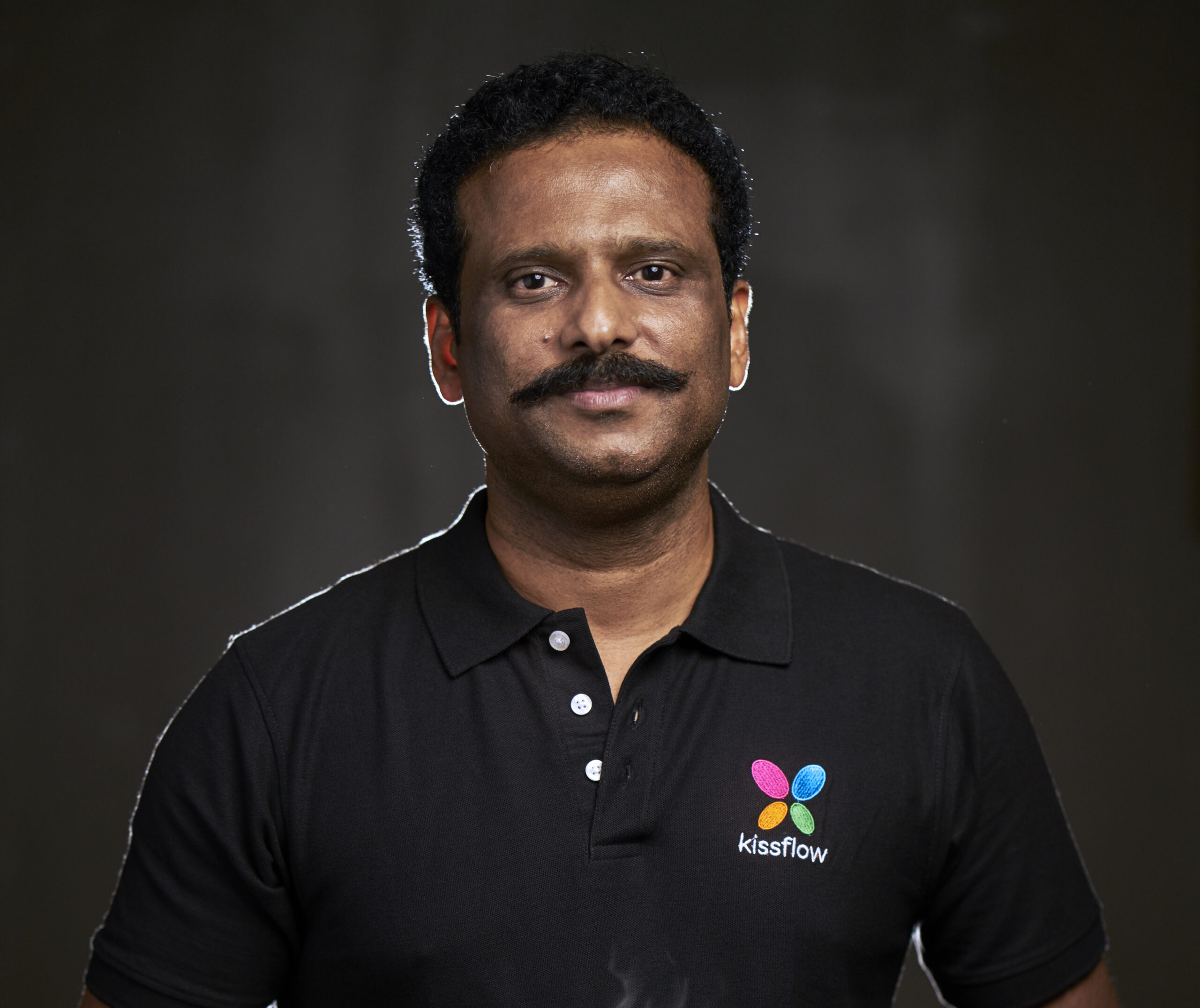
Meet Mr. Suresh Sambandam who broke stereotypes and built multi million dollar technology company.
Suresh Sambandam, CEO of KissFlow.com The man who built Rs 1500 crore IT company.

Meet my friend Niwin Santhosh who took less travelled path to pursue his dream.
Mr. Niwin Santhish, Founder and CEO of Vajro.com.