
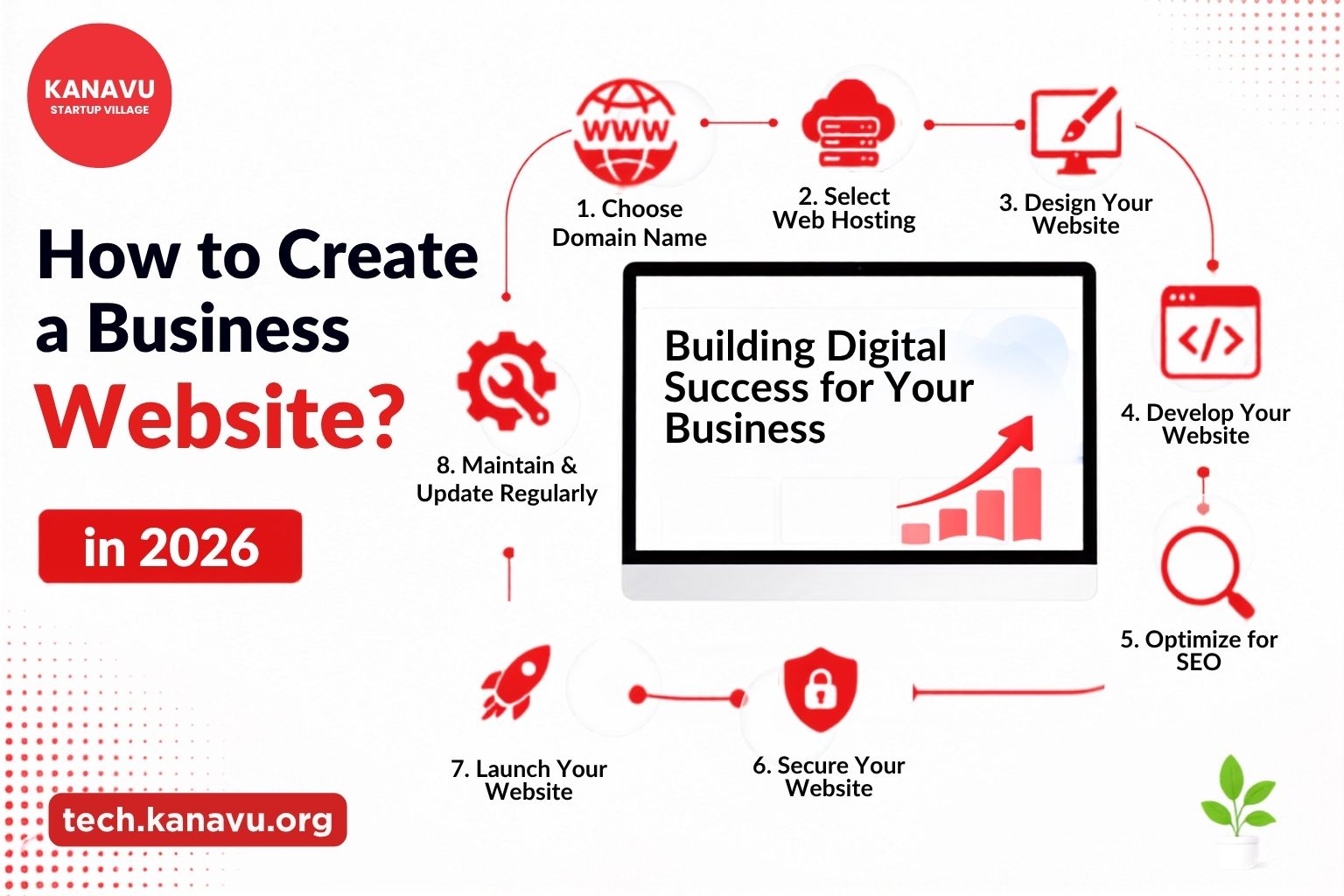
A business without a website misses valuable opportunities every day. Your website works around the clock, helping customers discover your business and connect with you whenever they need. If you’re wonderinghow to create a business website, don’t focus only on its appearance. A successful business website should load quickly, work smoothly on every device, and help visitors take action. Start with the Right Website Strategy Before building your website, start with these basics. Define its purpose Ask yourself. or simply build your brand? A clear goal helps you choose the right layout, features, and content. If you want a deeper breakdown of this planning stage, our How to Build a Digital Product: The Complete Kanavu Technologies Guide walks through everything from planning to launch in more detail. The next step is selecting a domain name. Keep it short, easy to remember, and closely related to your business name. After registering your domain, choose reliable web hosting. A good hosting provider keeps your website fast, secure, and available to visitors around the clock. Here’s how Kanavu Technologies uses cloud infrastructure in web development to keep client sites fast and reliable. Slow-loading websites often lose potential customers before they even explore your services. How to Create a Business Website That Customers Love ? A modern business website should offer a smooth user experience. Instead of adding unnecessary features, focus on simplicity and clarity. Include These Essential Pages Every business website should have: A clean structure helps visitors quickly find the information they need and encourages them to contact your business. Is Your Website Ready for Search Engines? Building a website is only the first step. If customers can’t find it on search engines, your website will struggle to generate enquiries. Start with basic Website SEO by writing unique page titles, adding relevant keywords naturally, optimizing images, and improving page speed. Search engines also favour websites that work well on mobile devices and provide valuable content to users.These are essential steps in how to create a business website. Once your website is live, don’t ignore Website maintenance. Regular software updates, security checks, backups, and content updates help keep your website secure and performing well. A well-maintained website also creates a better experience for your visitors and improves long-term search rankings. Turn Your Business Website into a Growth Engine Creating a successful business website is about more than launching a few web pages. Every essential element of your website works together to attract visitors, improve user experience, and generate more enquiries. At Kanavu Technologies, we build fast, responsive, and SEO-friendly business websites that help businesses establish a strong online presence. From planning and development to website optimization and long-term maintenance, our team delivers solutions tailored to your business goals that showing you how to create a business website that drives real business growth. Ready to grow your business online? Contact Kanavu Technologies today and build a professional website that drives real business growth. If you want to go deeper on SEO fundamentals, Google’s own SEO Starter Guide is one of the most reliable free resources covering everything from page titles to site structure.
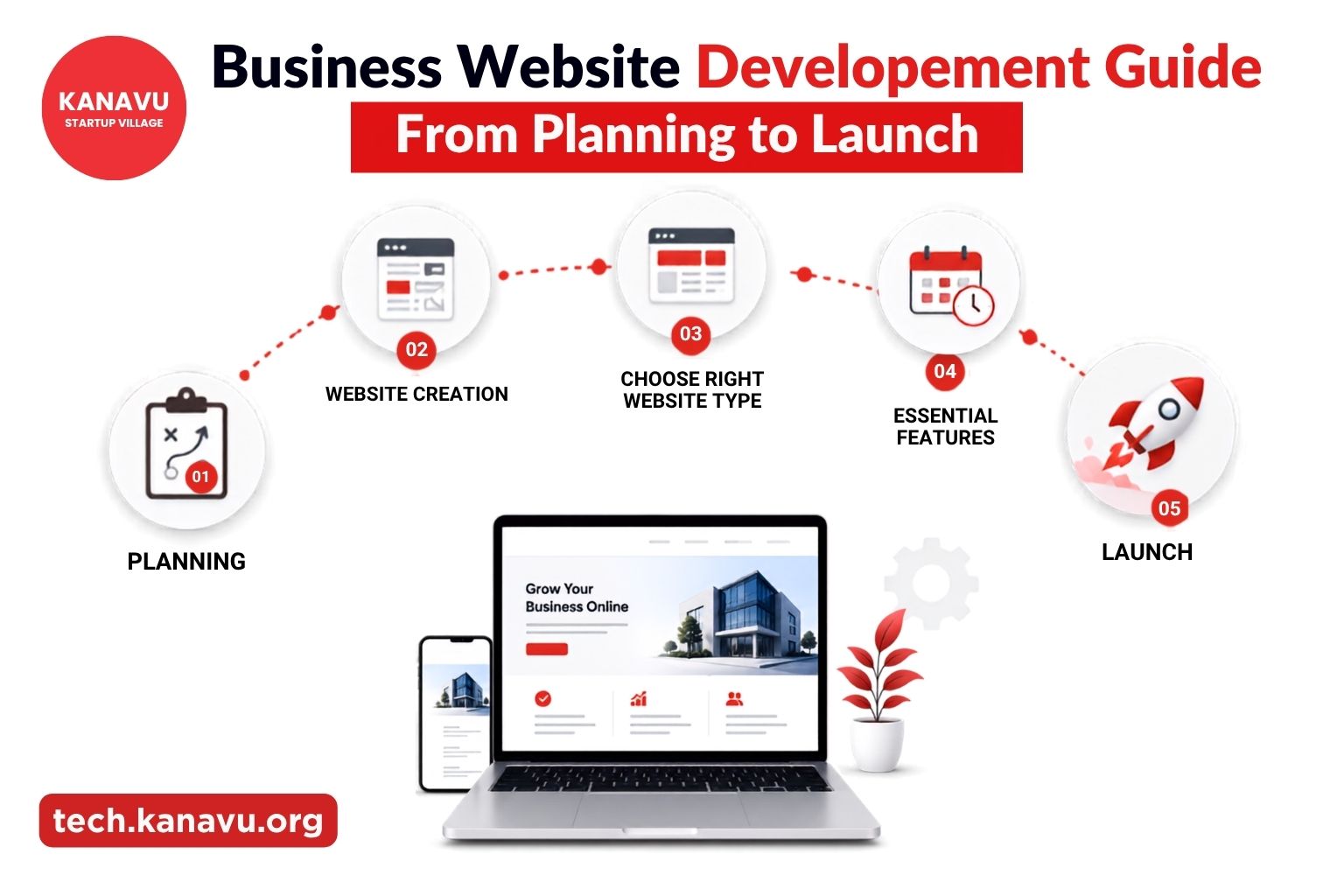
Business Website Development Guide: From Planning to Launch
Learn about business website development, from planning and website creation to choosing the right website type, understanding essential features, and estimating development timelines. 1. How to Create a Business Website in 2026? Discover the essential steps to build a successful business website, from defining your goals and choosing the right platform to designing, launching, and optimizing your website for growth. 2. Static vs Dynamic Website: Which One Is Right for Your Business? Understand the differences between static and dynamic websites, their advantages, limitations, and real-world use cases to help you choose the best option for your business. 3.What Are the Essential Features of a Business Website? Learn the essential features every business website should have, from fast loading speed to secure navigation, clear calls-to-action, and SEO-friendly design that helps attract and convert customer 4. How Long Does It Take to Build a Website in 2026? Discover how long it takes to build a website in 2026, the key stages of website development, and the factors that influence project timelines, helping businesses plan their website launch with confidence. SOURCES : 1. Static vs dynamic website – by shopify

How Kanavu Technologies Uses Cloud in Web Development?
At Kanavu Technologies building a website has never been just about writing code and launching pages. From the very first conversation with a client we think about how the cloud will power everything behind the scenes. Speed, security, scalability, and reliability are not optional extras for us. They are the foundation of every single web project we deliver. Understanding how we use the cloud in web development helps every business partner know exactly what they are getting when they choose to build with us. We Moved from Traditional Web Hosting We saw firsthand what physical servers did to our clients. Heavy costs. Constant maintenance. Frustrating downtime at the worst possible moments. That is why we made the shift to cloud based web development completely and never looked back. Today every website we build runs on remote infrastructure that scales automatically, recovers instantly from failures, and stays accessible from anywhere in the world without interruption. Cloud in Web Development Shapes Everything We Build When our team starts a new web project the cloud is built into every decision from the beginning. Using modern web development tools like containerisation platforms, serverless functions, and cloud based deployment pipelines, our developers push updates faster, test more safely, and ship better features without long delays. We spend less time managing infrastructure and more time building meaningful digital experiences for every client we work with every single day. Related reading: best practices of cloud security How Do We Keep Every Website Protected by Default? Security is never an afterthought at Kanavu Technologies. Cloud security for websites is built into every deployment we make so that our clients never have to worry about their digital assets being compromised, ensuring complete protection and reliability through cloud in web development. Security is never an afterthought at Kanavu Technologies. Understanding common cloud security risks helps businesses appreciate why security must be built into every deployment from day one. Cloud is the Backbone Businesses that build with us gain more than just a website. They gain a digital foundation that adapts, grows, and performs consistently as their business evolves. Whether launching a new product, handling traffic surges, or expanding into new markets our cloud first approach ensures every website is ready for whatever comes next. As businesses continue adopting digital solutions, keeping up with the latest cloud computing trends helps organizations stay competitive and future-ready. It is not just a technical choice at Kanavu Technologies. It is our commitment to every client that their website will always be faster, safer, and stronger than anything they had before working with us through cloud in web development.

How Apps Are Built: The Step by Step Process at Kanavu Technologies
Every app you use today started as an idea on someone’s notepad. The food delivery app that brings dinner to your door, the banking app that manages your money, and the learning app your child uses before bedtime all went through the same fundamental journey from concept to completion. Understanding how apps are built helps every business owner, entrepreneur, and curious mind appreciate what actually goes into creating a digital product that millions of people use and trust every single day. What Happens Before Coding Begins? Building an app successfully starts long before any developer opens their laptop. The most important stage of any app development process is the definition stage where Skipping this stage is the single biggest reason most apps fail before they ever reach real users. Clarity at the beginning saves months of confusion, cost, and disappointment later in the development journey. How Apps Are Built Stage by Stage? Every successful app follows four clearly defined stages that together form a complete and reliable development journey from the very first idea to the final launch. Businesses looking for expert guidance can also explore how Kanavu Technologies delivers the best mobile app development in Erode and supports clients throughout the entire development journey. Each stage builds directly on the previous one ensuring that nothing is built without a solid and well understood foundation beneath it. The Technology Stack Behind Every Great App The process of how apps are built at Kanavu Technologies follows a step by step app development approach using carefully chosen technologies. Testing Is the Most Important Stage An app is only as good as its testing. No app leaves without passing every single testing stage completely. Understanding the importance of software testing in the application development lifecycle helps ensure that applications deliver reliable performance and a better user experience. How Kanavu Brings It All Together? Reach out today and let Kanavu Technologies turn your idea into an app your users will love. At Kanavu Technologies how apps are built is not just a technical process. It is a genuine commitment to every client that their product will work exactly as imagined from the very first conversation to the final launch and beyond always.

How Kanavu Technologies Delivers the Best Mobile App Development in Erode?
Building a mobile app is not just about writing code and launching it in a store. The app development process covers every stage from the very first idea to the final user experience, ensuring that what reaches your customers is reliable, beautiful, and built to last. Most businesses realize this only after an expensive disappointment. Understanding what the best mobile app development in Erode looks like before you invest changes everything completely. What Is App Development? It is the process of designing, building, testing, and launching an application that works seamlessly on smartphones and other devices. It is not a single step but a complete journey that covers everything from the first idea to the final product in a user’s hands. Best Mobile App Development in Erode: The Process That Delivers Results Businesses searching for how to create an app often discover that choosing the right technology is the most important early decision. Flutter allows developers to build one powerful application that works seamlessly across Android, iOS, and web simultaneously, saving time, reducing cost, and delivering consistent quality across every platform. Strong development process delivers: Why App Development for Startups Needs This Approach? For startups looking for the best mobile app development in Erode speed and budget matter most when you are just starting out. Choosing the right development approach works best when the process is lean, cross platform, and built for growth from day one. Building once and reaching every platform is not just a cost saving strategy. It is a smarter way to grow quickly without compromising quality or user experience. Startups that choose this approach launch faster, reach more users, and maintain their apps far more efficiently than those who build separately for each platform. The Kanavu Technologies 4D Process At Kanavu Technologies every app is built using Flutter through four clear stages. Define. Design. Develop. Deploy. That is the best mobile app development in Erode in practice. Reach out today and let Kanavu Technologies turn your idea into an app your users will love.
How to Build a Digital Product: The Complete Kanavu Technologies Guide
Every great business today runs on a great digital product. Whether it is a mobile app that serves thousands of customers daily, a website that converts visitors into buyers, or a brand identity that makes people stop and look twice, digital products are the foundation of every successful modern business. But knowing how to build a digital product that actually works, performs reliably, and grows alongside your business is something most people never fully understand until they are already in the middle of building one. That is exactly where Kanavu Technologies comes in. What Goes Into Building a Digital Product ? Building a digital product is never just about writing code or designing a logo. It is a complete journey that starts with a clear understanding of what the business needs, moves through careful design and development, and ends with a product that real users genuinely love using every single day. Digital product development requires the right process, the right tools, and the right team working together from the very first conversation to the final launch and beyond every single time. How to Build a Digital Product That Reaches Everyone? At Kanavu Technologies we build apps for business using React, Flutter, Node.js, Python, and Java as the backbone of every product we deliver. Our 4D process of Define, Design, Develop, and Deploy ensures that every product is built with complete clarity, tested thoroughly, and launched with full confidence. Every product we build goes through unit testing, regression testing, and manual API testing before it ever reaches a real user ensuring quality that clients and tech solutions for startups genuinely depend on. That is the standard we hold ourselves to every time we work on how to build a digital product that truly delivers results. Design and Content Done Right At Kanavu Technologies our digital team uses Canva for beginners friendly design workflows that make professional brand visuals accessible, fast, and consistently on brand across every platform. From logo design to social media content ideas that actually drive engagement, our digital team ensures every product looks as good as it performs in the real world. One Team for Every Digital Need Building a digital product successfully requires technology, design, content, and strategy working together seamlessly under one roof. At Kanavu Technologies we bring all four together for every client we work with. Knowing how to build a digital product is only the beginning. Having the right team beside you from the very first idea to the final launch makes all the difference in the world always.

Cloud Computing Trends That Are Quietly Reshaping the Business World
At Kanavu Technologies, we do not just talk about cloud computing trends. We live with them every single day. From the moment our team starts work in the morning to the solutions we deliver for our clients by evening, cloud technology powers everything we do, every decision we make, and every result we deliver. We have seen firsthand how the right cloud strategy transforms businesses and we want to share exactly what is working for us and our clients right now. Why Is Every Industry Shifting Toward Cloud Based Solutions? The shift is happening everywhere and we are right at the heart of it. When we started integrating cloud solutions into our operations, the difference was immediate. Costs came down. Collaboration improved. Our teams could work from anywhere without missing a beat. The future of cloud computing is not something we are waiting for. It is something we are actively building for our clients every single day with genuine and measurable results across every industry we serve. Cloud Computing Trends Shaping the Future of Business Five powerful trends are defining the next chapter of cloud technology and at Kanavu Technologies we are already using every single one of them for our clients right now. Related reading: Which Cloud Platform Is Best for Your Business with Kanavu Technologies How Kanavu Technologies Delivers Real Results? Great cloud technology is not just about servers and software. It is about reimagining what your business can actually become. More than just adopting new tools, staying ahead of cloud computing trends is fundamentally transforming the way we operate, compete, and create real value for every client we serve. Cloud technology innovations are at the heart of everything we design, delivering solutions that are not just technically excellent but truly meaningful for every business we work with every single day. Building a Future Ready Business The businesses thriving tomorrow are making smart cloud decisions today. Waiting is no longer a neutral choice. Kanavu Technologies is here to make that journey exciting, manageable, and genuinely rewarding. The right cloud computing trends knowledge combined with a partner who truly understands your goals makes all the difference in the world.
Azure vs AWS: Which Cloud Platform Is Best for Your Business with Kanavu Technologies
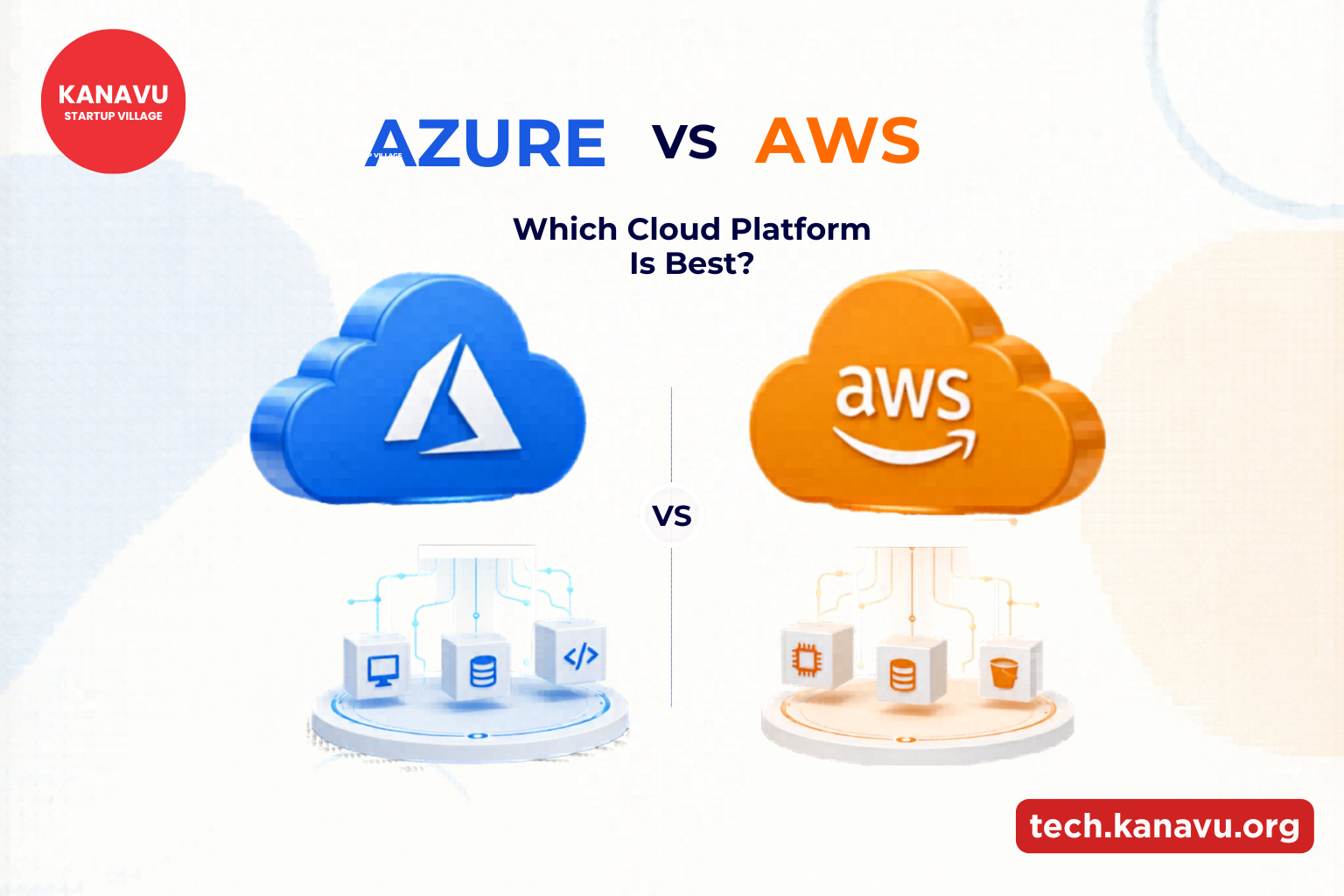
Choosing the right cloud system is no longer just a technical decision. It directly affects business speed, growth, and long-term stability. In today’s digital world, companies depend on cloud solutions to store data, run applications, and manage daily operations smoothly. That is why understanding Which Cloud Platform Is Best has become an important step for modern businesses. Azure and AWS are two leading options, but each serves different needs depending on how a company works and scales. The Big Question Before You Choose What happens if your system becomes slow during peak demand? Or if your tools do not connect properly with your daily work? These small issues can affect productivity and growth. That is why selecting the right cloud platform is an important business decision. Businesses often compare both platforms to identify the best cloud service for business operations, performance, and future scalability. AWS: Power for Large Scale Growth AWS is designed for businesses that want flexibility and rapid expansion. It supports companies that deal with heavy traffic and complex digital systems. It is commonly used by fast-growing digital platforms and tech companies. Azure: Which Cloud Platform Is Best for Business Integration Azure is widely used by organizations that already depend on Microsoft tools. It connects different systems in a simple and smooth way. It is preferred by structured organizations and corporate environments. Simple Difference Between Them AWS focuses more on flexibility and large-scale performance.Azure focuses more on connection and organized business systems. Both are powerful, but they solve different needs. Why Does This Choice Affect Business Growth? A mismatch can create limitations, while the right choice improves efficiency and stability. Related reading: Top Cloud Security Risks Explained Understanding Which Cloud Platform Is Best helps businesses improve performance, support future growth, and manage operations more efficiently. With Kanavu Technologies, businesses can understand their needs clearly and choose between cloud computing platforms based on real goals, performance expectations, and future growth plans. This helps avoid confusion and supports better digital decisions. There isn’t just one winner between AWS and Azure. The best choice depends on how a business operates and what it aims to achieve in the future. A well-planned decision leads to better performance, smoother operations, and stronger digital growth.

One Small Mistake Can Expose Everything: Top Cloud Security Risks Explained
Everything functions well. until everything is altered in an instant. A single mistake, a missed setting, or a weak login can suddenly expose critical information. That is exactly why understanding Top cloud security risks matters today. As more operations move online, even a tiny flaw can impact trust, performance, and business continuity. Where Problems Actually Start? Issues rarely begin as disasters. They grow from unnoticed actions and silent vulnerabilities. These situations are common examples of cyber threats in cloud environments that can affect system safety. Related Reading: Learn how AWS Cloud Helps Businesses Build Secure and Scalable Systems by Kanavu Technologies. Hidden Impacts You Should Notice Some problems do not show immediately. Systems may become slow, data may not stay safe, and users may lose trust over time. These changes happen quietly but can cause long term damage. Common Mistakes to Avoid How Top Cloud Security Risks Shape User Trust? Users expect their information to remain private and protected while using digital platforms. Even a small security issue can reduce confidence and affect user experience. Safe and reliable systems help businesses build stronger trust and encourage customers to continue using their services. Simple Ways to Stay Protected Safety does not always need complex methods. Systems can be properly protected with a few simple actions. Cloud Security Needs Constant Attention Cloud systems do not stay safe just because they were secured once. As business needs grow and systems change, new gaps can appear over time without clear warning. As systems continue to change, new weak points can appear without clear warning. User activity and access needs may grow over time, while older settings may no longer match current usage. These unnoticed changes can slowly create security gaps in cloud environments. Why Monitoring Is a Game Changer? Monitoring activity helps detect top cloud security risks at an early stage. Quick response reduces the chance of wider system impact. Continuous monitoring gives better control and confidence. Building Safer Systems With the right approach, businesses can create secure cloud systems that balance performance and protection. Planning ahead always works better than reacting after a problem appears. A strong foundation keeps everything running smoothly even during challenges. With the support of Kanavu Technologies, businesses can build safer digital environments that stay reliable, scalable, and prepared for changing security needs.

Emerging Technology Trends That Will Shape the Future of Business Operations
Technology is changing faster than ever, and businesses must adapt to stay competitive. New tools, systems, and innovations are helping companies make smarter decisions, improve efficiency, and deliver better customer experiences. Understanding these Emerging Technology Trends is important for every organisation that wants to stay ahead in the digital world. Smarter Use of Artificial Intelligence Artificial Intelligence is no longer a future concept; it is already transforming daily business operations. AI helps companies analyse large amounts of data, automate routine tasks, and make accurate decisions. Because of its wide use in finance, healthcare, retail, and manufacturing, AI remains one of the strongest Emerging Technology Trends for modern businesses. Automation and Digital Workflows Businesses are moving away from manual processes and shifting toward automated workflows. Automation tools reduce human error, speed up daily tasks, and improve productivity. Whether it is processing documents, managing customer support, or tracking inventory, automation plays a major role in shaping the future of work. This shift continues to grow as part of key Emerging Technology Trends. Cloud Computing for Flexible Operations Cloud technology allows companies to store data securely, access it from anywhere, and reduce hardware costs. It supports remote work, improves collaboration, and helps businesses scale without difficulty. Because of its efficiency, cloud adoption is considered one of the most influential Emerging Technology Trends for digital transformation. Cybersecurity Becoming a Top Priority As companies depend more on digital systems, protecting data has become essential. Cybersecurity tools detect threats, block attacks, and safeguard sensitive information. Businesses now focus on stronger password systems, secure networks, and real-time threat monitoring. With cyber risks increasing, enhanced security measures remain part of important Emerging Technology Trends. Data Analytics for Smarter Decisions Businesses generate large amounts of data every day. Data analytics tools help convert this information into meaningful insights. Organisations use analytics to understand customer behaviour, forecast demand, and improve their services. This focus on data-driven decision-making is a major highlight in today’s Emerging Technology Trends. The Rise of Internet of Things (IoT) IoT devices connect machines, appliances, and tools to the internet, allowing them to communicate and collect data. Companies use IoT for tracking shipments, monitoring machinery, and improving workplace safety. As more devices become connected, IoT continues to grow as part of powerful Emerging Technology Trends shaping the future. Technology will continue to evolve, and businesses must adopt new tools to stay efficient and competitive. By understanding and using these Emerging Technology Trends, organisations can prepare for the future, improve operations, and deliver better value to customers.