
A lagging site doesn’t just annoy visitors, it costs you customers. Every extra second a page takes to load pushes more people to hit back and land on a competitor instead.
If you’ve been asking “why is my site slow” and getting vague answers, here’s the real, practical checklist our developers actually use to diagnose and fix it.
Over 53% of mobile visitors leave a site that takes longer than 3 seconds to load.
Why Speed Actually Matters ?
The Real Cost of Poor Performance
A poorly performing website can lead to fewer visitors, lower conversions, and lost sales. Heavy media, poor hosting, and unoptimized code are common causes.
When building or improving a website, following a structured development process can help avoid many of these issues. Explore our Business Website Development Guide: From Planning to Launch to understand how planning, development, testing, and launch affect website performance.
Key Impact: Long load times →Frustrated users → Lost opportunities
Common Causes of a Slow Site
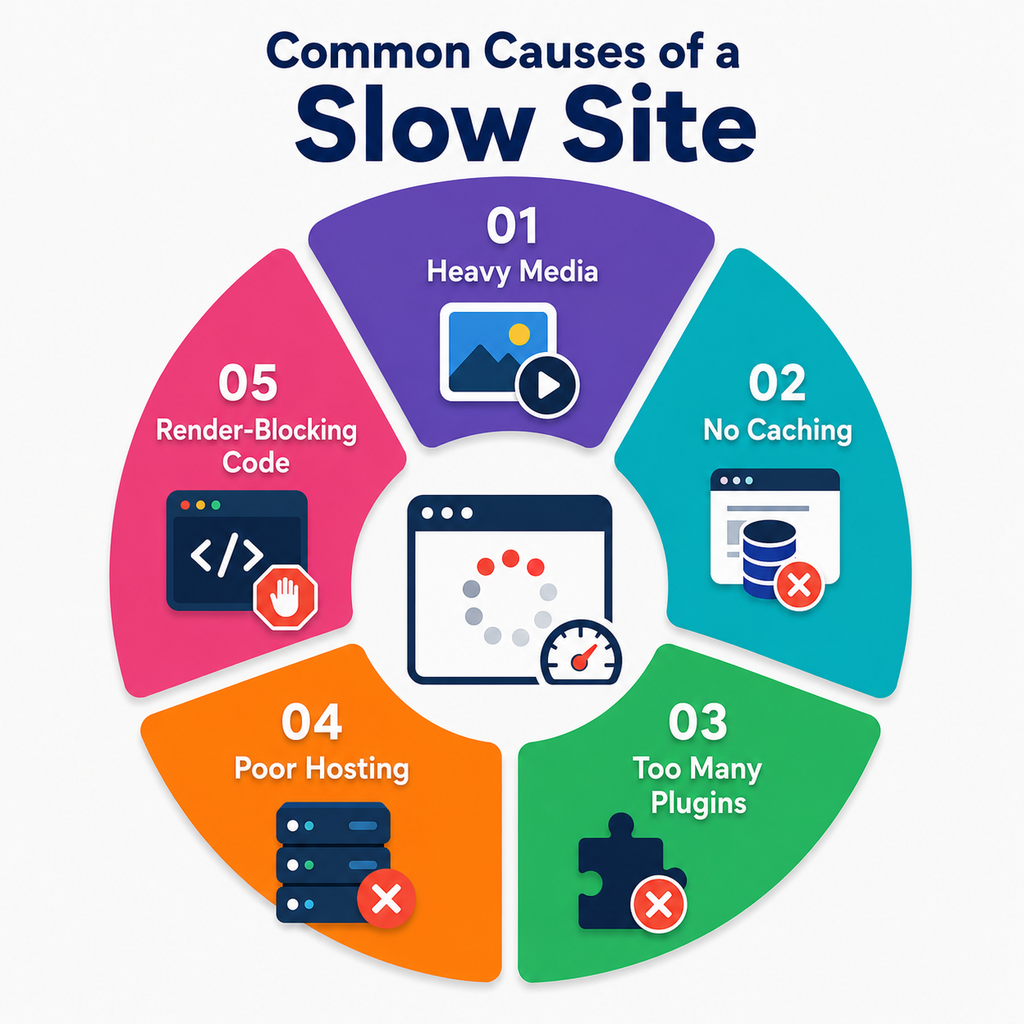
1. Heavy Media
Large, uncompressed image or video files take longer to download, and this remains one of the most common culprits behind sluggish load times.
2. No Caching
Without caching, the server rebuilds pages from scratch for every single visitor instead of serving saved copies, adding unnecessary load time to every request.
3. Too Many Plugins
Too many background scripts can drain resources and affect overall site performance, even on pages where the plugins aren’t needed.
4. Poor Hosting
Cheap shared hosting plans slow down when traffic spikes, since server resources are split across many other sites at the same time.
5. Render-Blocking Code
Large JavaScript or CSS files block the page from showing up until they fully load, leaving visitors staring at a blank screen longer than necessary.
These are some of the most common reasons a website may become slow. For a website to perform well, it also needs a strong foundation of usability and functionality. Explore our Essential Features of a Business Website to learn what your business website should include.
How to Diagnose and Fix It
1. Run a Speed Test
Use Google PageSpeed Insights or Pingdom Website Speed Test to find performance issues.
2. Compress Images
Resize images and use modern formats like WebP.
3. Enable Caching
Use browser, plugin, or server-level caching to reduce loading time.
4. Clean Up Plugins
Remove unused plugins and unnecessary third-party scripts.
5. Use a Content Delivery Network (CDN)
Deliver static files faster to visitors in different locations.
Developer Speed Checklist
| The Developer Checklist |
| Run a speed test (PageSpeed Insights or Pingdom) |
| Check image sizes and formats |
| Review render-blocking JS/CSS |
| Confirm caching is enabled |
| Audit plugins and third-party scripts |
| Check server response time |
| Test on both desktop and mobile |
When to Bring in a Developer ?
If your site is still slow after basic fixes, the issue may be with code, architecture, or hosting. A technical audit from Kanavu Technologies can help identify the root cause and improve your website’s performance.
Also Read: If you’re dealing with other technical website issues beyond slow loading, explore our Website Problems and Fixes: A Complete Guide by Kanavu Technologies for practical solutions to common website problems.
FAQs
Images are only one factor. Check caching, scripts, hosting, plugins, and server response time.
Start with Google PageSpeed Insights or Pingdom. Both provide performance measurements and identify areas that need improvement.