
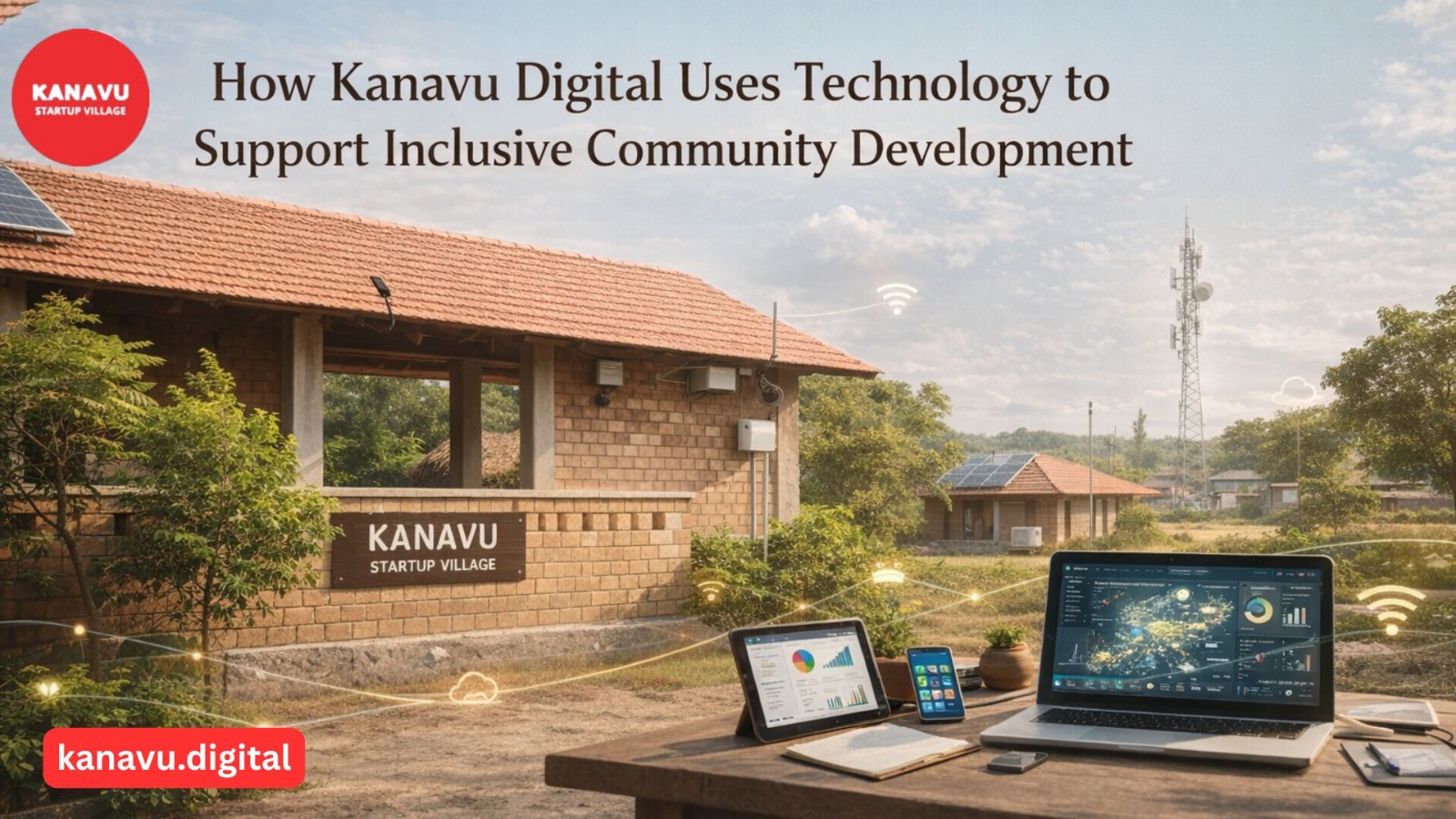
Kanavu Digital (often referenced as DigitalVillage.In under the Kanavu.org network) is a technology-driven initiative that doesn’t just build digital products — it uses technology strategically as a tool for Inclusive Community Development. Unlike many technology services that focus solely on business or branding, Kanavu Digital emphasizes community impact, empowerment, and creating access for underrepresented groups. Kanavu Digital: A Technology Platform with Purpose Kanavu Digital was established to help a variety of organisations — from startups to community projects — leverage modern technologies like AI, Machine Learning, Big Data, and digital communication tools. The aim is not just technical advancement, but broadening access to digital resources across sectors. At its core, the initiative supports inclusive community development by: This reflects a shift from technology as a standalone tool to technology as a community enabler. Building Bridges Through Digital Strategies Kanavu Digital provides services and strategic direction aimed at helping organisations be more visible, accessible, and impactful. These services typically include: By combining these technologies with community goals, Kanavu Digital strengthens both local outreach and broader impact. Inclusive Community Development Through Tech Outreach Rather than offering technology as a product alone, Kanavu Digital focuses on inclusion and participation. This means its tech work prioritises: This kind of work supports Inclusive Community Development by making technology an ally for community goals rather than a barrier. Real Applications of Technology in Community Contexts In practice, Kanavu Digital has helped organisations: These efforts help organisations — from small local initiatives to growth-oriented startups — participate in the digital economy in meaningful ways. Tech and the Broader Kanavu Ecosystem Kanavu Digital is part of the broader Kanavu.org mission, which includes entrepreneurial support, education, and community engagement. Together with initiatives like Kanavu Startup Village and Kanavu Help, the digital arm strengthens the ecosystem by enabling others to scale their impact through technology. By making digital tools and strategies accessible, Kanavu Digital plays a core role in shaping technology that supports Inclusive Community Development, connecting rural voices with national and global platforms.
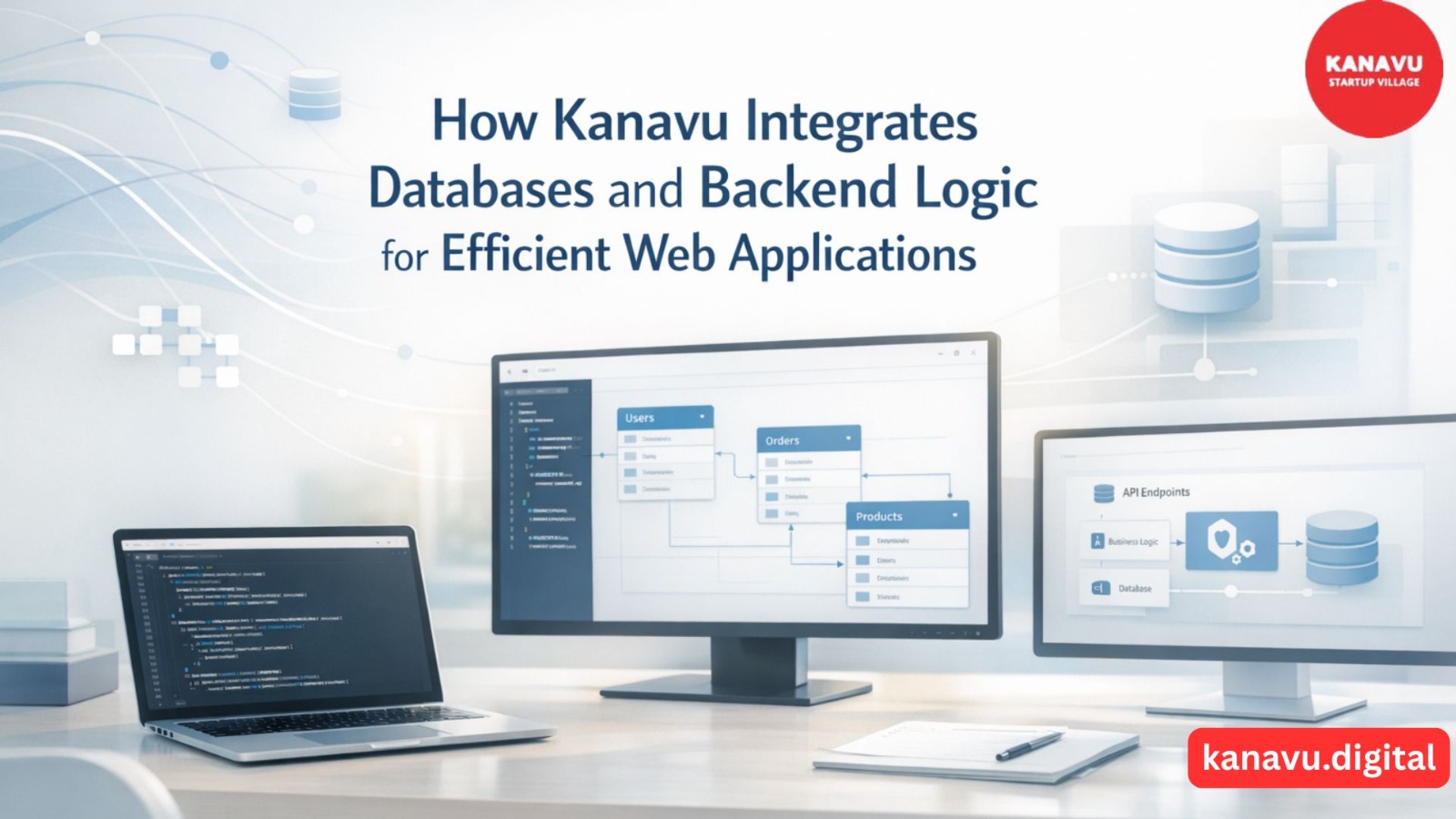
How Kanavu Integrates Databases and Backend Logic for Efficient Web Applications
At Kanavu, building digital platforms is not about quick demos or surface-level features. The focus is always on creating Efficient Web Applications that can handle real usage, real data, and real-world constraints. Every project starts with understanding how information flows, how systems respond, and how databases and backend logic work together smoothly.This backend-first mindset reflects Kanavu’s Web Development Strategies for Idea to Web Product, ensuring each stage is planned with long-term performance in mind. Kanavu follows a practical, tested approach where backend decisions are made early, not as an afterthought. Backend-First Thinking at Kanavu Before any interface is finalized, Kanavu plans the backend structure carefully. This ensures the application remains stable even as usage grows. Key backend principles followed: This approach helps Kanavu deliver Efficient Web Applications that are predictable and easy to maintain. Database Design That Reflects Real Usage Kanavu primarily works with relational databases like MySQL, focusing on clarity and performance rather than complexity. Database practices include: Instead of overloading the database with unnecessary joins or logic, Kanavu keeps queries clean and optimized. This directly contributes to building Efficient Web Applications that respond quickly and scale steadily. Backend Logic That Connects Everything The backend acts as the brain of the application. At Kanavu, backend logic is written to be readable, modular, and reusable. Typical backend responsibilities include: By keeping backend logic structured and modular, Kanavu avoids performance bottlenecks and ensures Efficient Web Applications across different use cases. How Kanavu Ensures Smooth Frontend–Backend Communication Kanavu relies on structured data exchange using JSON and APEX-based APIs. This allows frontend components built with HTML, CSS, and JavaScript to interact seamlessly with backend services. The benefits: This tight integration plays a major role in delivering Efficient Web Applications that feel responsive and reliable,clearly demonstrating Why User Experience Design Drives Startup Success in real-world digital products. Security and Performance as Core Requirements Efficiency is not just about speed—it also includes safety and consistency. Kanavu implements: These measures ensure that applications remain secure without compromising efficiency. Why This Integration Matters When databases and backend logic are thoughtfully integrated, applications: This is how Kanavu consistently delivers Efficient Web Applications built for long-term use, not short-term display.
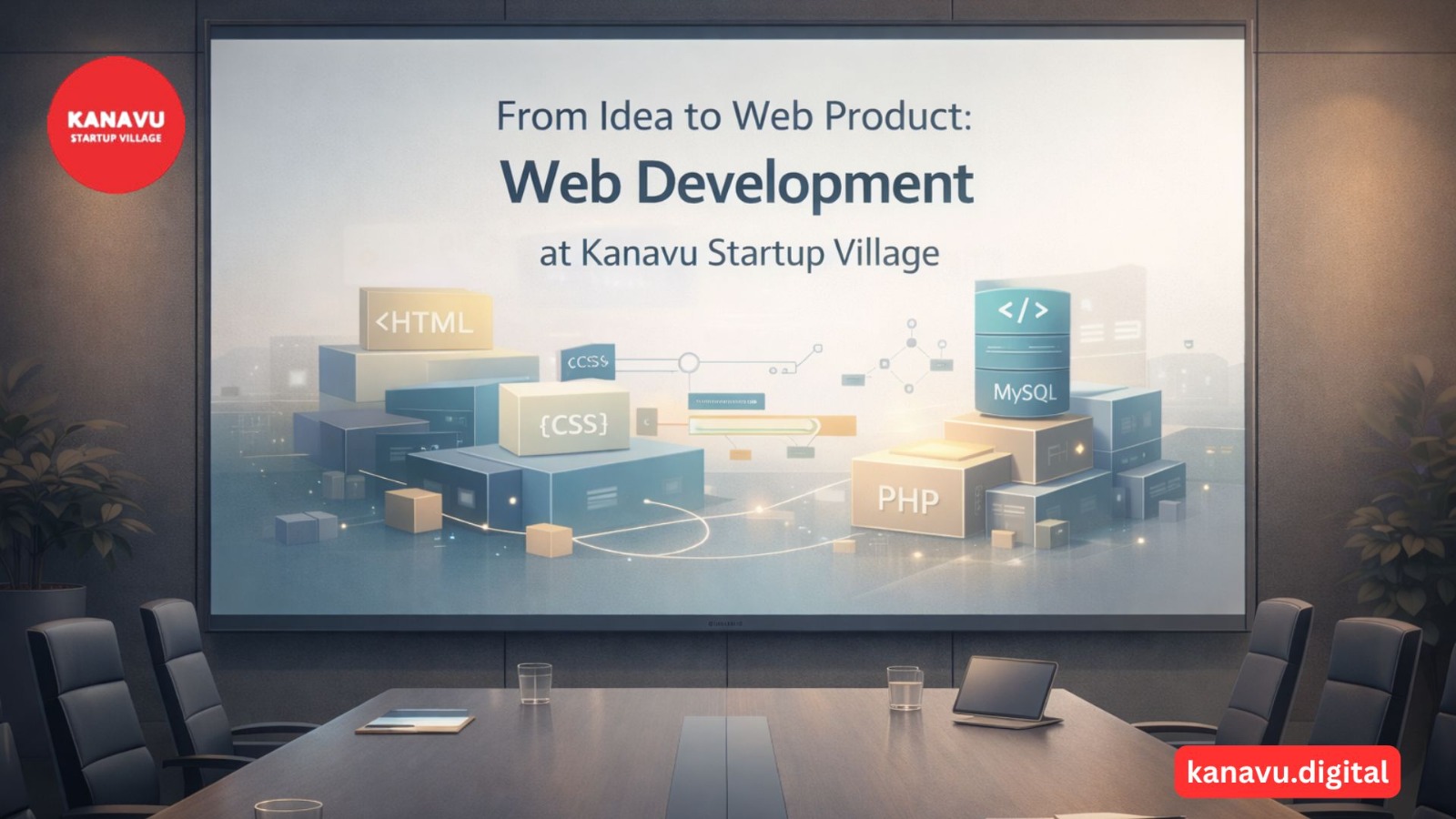
From Idea to Web Product: Web Development at Kanavu Startup Village
At Kanavu Startup Village, web development does not happen in a perfect or corporate-style way. Most projects start with confusion, limited clarity, and basic resources. Ideas change while building, features are added or removed midway, and learning happens along the way. Because of this, the focus is on practical and flexible Web Development Strategies rather than complex plans as followed in real projects shared through the Kanavu Startup Village How Ideas Actually Begin Ideas usually start from real problems shared by our founders or clients. Often, the idea is rough and not clearly defined. Teams first try to understand: Instead of waiting for perfection, work begins early. This helps shape realistic Web Development Strategies from day one. Planning with Real-World Limitations Planning is done based on what can realistically be built. The focus is on functionality, not heavy design. Planning usually includes: Complex features are postponed. This keeps development practical and aligned with achievable Web Development Strategies. Full-Stack Web Development in Daily Practice Web development work follows a simple full-stack approach. The commonly used stack includes: Development happens in small steps. Code is written, tested, changed, and rewritten many times. This trial-and-error approach is a natural part of real Web Development Strategies used at Kanavu Startup Village. How Client Interaction and Satisfaction Are Handled Client interaction is direct and honest. There are no complicated processes. Clients usually explain their needs in simple language, and requirements often change during development. The team: Instead of promising everything, realistic timelines and features are discussed. Keeping communication clear helps maintain trust and supports effective Web Development Strategies,similar to principles shared in Social Media & Digital Marketing Tips for Local Startups. Testing, Fixing, and Deploying in Reality Testing is mostly manual and done by the team itself as part of practical Web Development Strategies This includes: Websites are usually deployed on shared hosting or simple servers. After deployment, bugs are fixed gradually, and features are improved based on actual usage.
Sustainable Digital Marketing Practices Gaining Momentum in 2025
2025 is a big leap towards sustainability in marketing. Brands no longer just think just about profit, but also the planet. Online marketing is becoming greener, wiser, and more human-driven. The Age of Sustainable Marketing The internet can be harmless-looking, but each click, ad, and video consumes energy. Servers and data centres generate a lot of carbon footprint. As more people realize this, users and companies alike wish to cut down digital wastage. Sustainable marketing achieves that. It emphasizes long-term value over short-term reach. It also establishes genuine trust by being caring about people and the environment. Consumers today appreciate brands that do what they say, not merely say it. Smarter Use of Data and Energy In 2025, brands handle data more intelligently. They only take what they require, reducing energy consumption and enhancing privacy. Clean data equals better insights with less waste. Most companies also employ green hosting using renewable energy. This minimizes carbon emissions from websites and online advertisements. Even tiny adjustments, such as decreasing image sizes or uninstalling unused plugins, save energy. Reduction of Digital Waste Digital clutter wastes power and attention. Overwhelming inboxes or spamming with nonstop ads is no longer an effective method. Brands are opting for quality over quantity. They upload fewer but more meaningful, relevant content. Content recycling is another genius step. Rather than repeating the effort of creating new stuff all the time, marketers recycle old blogs, videos, and graphics. This saves time, money, and resources and still keeps the audience interested. Building Trust Through Honest Content Sustainability also equals honesty. Consumers desire brands that share authentic stories about what they do. More companies in 2025 are demonstrating how they minimize waste, uphold fair labor, and safeguard privacy. Sustainable digital marketing is not a fleeting trend. It’s a wiser, cleaner path to growth. As technology and consciousness increase, the brands that move quickly will set the pace—with less waste, more confidence, and a healthier future for everyone.
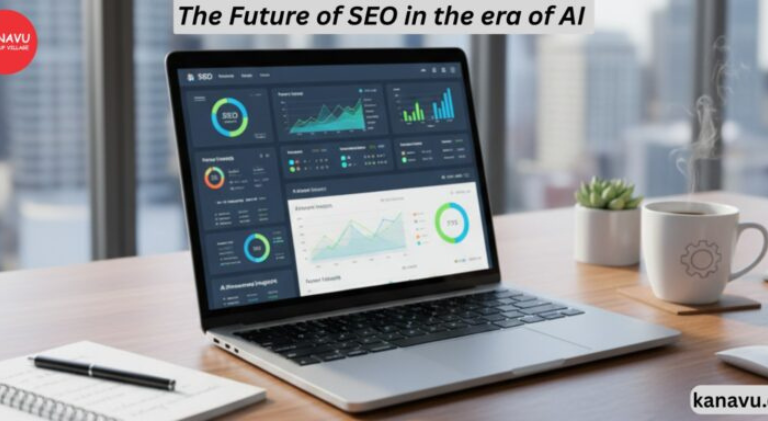
The Future of SEO in the era of AI search engines
Search is evolving at lightning speed, driven by artificial intelligence and the growing demand for personalized answers. SEO in the era of AI is not just about ranking on the first page—it’s about being discovered in a world where algorithms understand context, predict intent, and deliver results almost instantly. Businesses that fail to adapt risk invisibility, while those who embrace change can unlock unprecedented opportunities for growth and visibility. How AI is transforming search behavior AI-powered search engines no longer depend entirely on keywords. Instead, they interpret meaning, analyze behavior, and deliver results that align with user intent. For example, when someone searches for “best laptop for students,” AI doesn’t just show a list of laptops. It considers price, performance, reviews, and even the tone of the query before generating a tailored response. This transformation benefits users by reducing the need to scan multiple websites for information. For businesses, however, it means the old tricks of keyword stuffing and link spamming no longer work. Today’s content must provide genuine value, context, and clarity. SEO in the Era of AI: New rules for digital visibility SEO in the era of AI introduces a fresh set of rules that go far beyond traditional tactics. Instead of focusing exclusively on keywords and backlinks, companies must prioritize human-centered experiences. Google’s algorithms increasingly reward quality, relevance, and usability. Some new rules shaping visibility include: Intent-based content: Create content that directly answers questions instead of repeating keywords. User experience first: Fast-loading, mobile-optimized websites with intuitive navigation perform better. Structured data: Schema markup helps AI systems categorize and display content more effectively. Authority and trust: Search engines now evaluate expertise, reliability, and author credibility before ranking. Adapting to these rules ensures businesses remain relevant in AI-driven search environments. Why human creativity still matters Even in an age dominated by machines, people connect with authenticity. AI can analyze data, but it cannot replicate emotion, empathy, or lived experience. This is where human creativity becomes invaluable. Content that blends useful insights with engaging storytelling resonates far more than text optimized only for algorithms. Practical ways to maintain authenticity include: Sharing case studies or real-life examples Writing in a conversational, relatable tone Using narratives to make complex topics easier to understand Building transparency into your messaging to establish trust When creativity and data-driven optimization meet, the result is powerful content that ranks well and builds long-term relationships with audiences. Opportunities in AI-driven SEO The rise of AI in search is not just a challenge—it’s a game-changing opportunity for forward-thinking businesses. Those who adapt early will gain a competitive edge as user expectations evolve. Some of the biggest opportunities include: Personalization: AI tailors results to user preferences. Businesses that deliver personalized recommendations or content will stand out. Conversational optimization: With the growth of voice assistants, natural language queries are more common. Optimizing for conversational search ensures higher visibility. Content clusters: Interlinking related content pieces establishes topical authority and signals expertise to AI. Predictive insights: Businesses can leverage AI-powered analytics tools to anticipate consumer needs and trends. These opportunities highlight how SEO is shifting from a purely technical discipline to a blend of creativity, strategy, and technology. Adapting for long-term success SEO in the era of AI is about balance—leveraging AI’s analytical power while keeping the human voice at the forefront. Brands that embrace agility will thrive, while those clinging to outdated strategies will struggle. Steps for long-term adaptation include: Regularly updating existing content to stay relevant Using multimedia formats like video, infographics, and podcasts to enrich engagement Tracking performance with AI-powered SEO tools for real-time adjustments Continuously experimenting with tone, structure, and storytelling to stay ahead of trends This adaptive mindset ensures businesses remain competitive as search technology continues to advance. Shaping tomorrow’s SEO strategies The world of SEO is entering its most transformative phase yet. AI-driven search engines are redefining what it means to be visible, shifting the focus from keyword tricks to meaningful, user-first experiences. Yet, despite the technological advancements, the human touch remains irreplaceable. SEO in the era of AI is about creating content that answers questions, builds trust, and connects emotionally while also satisfying algorithms. Businesses that adapt their strategies now by blending AI insights with genuine storytelling will not only secure visibility but also build stronger, lasting relationships with their audiences. Those who ignore this evolution may find themselves left behind in the digital shadows.

Social Media Marketing on a Shoestring: 5 Hacks That Cost Almost Nothing
Social Media Marketing -For many small businesses, marketing budgets are getting lower. The need hardly keeps up with these budgets, but still, the online visibility requirement is stronger than ever before. You might be thinking that doing a big impact requires you to have a big budget; actually, it’s quite the opposite. The right few moves can get your brand the attention it deserves with little or no cash out of your pocket. The power of social media marketing can still be strong even on a limited budget and this write-up will give you a brief outline of five hacks, which you can start using, and which will be nearly free. 1. Free content tools are at your disposal if you want to make eye-catching posts There’s no need to have a professional design team if you want to have the posts look good. Just the likes of Canva, Crello, or Adobe will be enough for you to generate attractive graphics for free. The idea here is that you get to use the platforms’ pre-made models, be it for a Instagram post, a Facebook banner, or even an infographic of LinkedIn, and with a little effort, you can alter these templates to fit your branding style. Most people get attracted first to what they see regardless of how quickly their attention span is; this is where good visuals come in to get your platform visitors’ attention fast and thus, your message/intended profile will not get lost in the overcrowded feed. 2. Get the Most from User-Generated Content People are more willing to believe what other people say rather than the brands themselves. Ask your supporters to share pictures, write reviews, or tell short stories about your products or services. Sharing content originally produced by users is a way for you to get the audience’s trust and save some of your precious time. This is by far one of the cheapest methods to maintain an active feed. Help creating an uncomplicated business tagline so consumers could tag your name to their posts. With time, it appears as a continuous resource of free content that promotes the brand far more naturally than ads do. 3. Publish Useful Micro Content Within social media marketing, it is proven repeatedly that consistency is king over perfect execution. The long videos or overwhelming campaigns are not always required from you. Micro-content such as tips, short “how-to” clips, or one-liner posts can be very helpful to target groups. E.g., bakeries could upload a 20-second reel showing the decoration of cupcakes, and health instructors could give a quick workout tip. Micro-articles become easier, cheaper, and faster for people to consume and share. 4. Free scheduling tools are at your disposal Time is a valuable resource just like money. Although daily posting can be stressful, there are free scheduling tools like Buffer, Hootsuite (basic plan), and Meta’s built-in Business Suite that are helpful. With them, a week’s worth of content can be planned in one go. Scheduling enables not only the saving of time but also the continuity of postings which is vital in the building of trust. Many small businesses give up because they cannot cope with the need for constant posting. Scheduling tools fix the problem in a very cost-efficient way. 5. Try to Create Relationships instead of Only Posting Participating is free and, unfortunately, businesses tend to overlook it. Make friendly and positive comments, subscribe to groups that are relevant to your business, and engage with other people’s posts that are in the same field as you. Instead of calling out at the top of your lungs in the empty void, imagine social media as a chat. Even ten thought-provoking comments per day can lead to more followers plus potential customers on your site. People remember a brand that engages. This free, simple, and frequent activity may place your business a step higher among competitors who are only focused on the distribution of content. Why These Hacks Matter The main reason why these hacks are very practical is that they put a major focus on human contact, using one’s creative skills, and taking intelligent advantage of free tools. You don’t need to spend more than those big companies that have rich marketing budgets. What you require is to be more knowledgeable and creative than them. With every post you make, comment, or share, you add to your brand’s voice. By being steady, sincere, and innovative, you will be able to build the long term without tanking your wallet. Don’t forget, social media marketing is less about spending a hefty amount and more about having more meaningful connections.

GTmetrix Speed Test – How To Run It?
Introduction – What is GTmetrix All of you are eager to learn how the GTmetrix speed test works, and I’m aware of that. But before we get to the main picture, let me explain what GTmetrix is. GTmetrix is a web performance analysis and monitoring tool that helps you test your website speed and discover optimization opportunities It is a very easy-to-use tool. It gives you a diagnosis of the loading speed of your website. Along with that, it also indicates how to solve the elements that slow it down It gives you a very detailled reports about the performance indicators. Using this, you can do the appropriate corrections. Thinking of upgrading your business? Learn why E-Commerce is absolutely necessary for your business. Here are some of the biggest factors to consider. NUMBER OF TESTS on GTmetrix Speed Test To get a really good comprehensive set of data, you need to do a whole lot of speed tests, preferably at different times throughout the day. The ideal would be to schedule an hourly test and leave it running for about a week or so. The reason for this is your website’s performance will change throughout the day, depending on your visitor count or even the usage of your server box if you’re on a shared host. The actual load speed given in seconds may change over the course of a day (or even weeks), some of the things GTmetrix can reveal — such as many of the recommendations it will yield on how to speed up your website won’t change with time at all. TEST LOCATIONS The proximity of your site to the test location (or a real human visitor) plays a big role in your test results. Because of that, the location you test your site from makes a big difference. In general, you want to pick a test location that’s as close as possible to your target visitors (which should also be close to the physical location of your hosting server). If your website only targets one location, all you really need to care about is the test results for that location. To be able to choose the location from which to test your site using GTMetrix, you’ll need to register for a free account. TEST DEVICES/CONNECTION SPEEDS GTmetrix speed test will let you test different connection speeds for free, but you’ll need to pay for a premium account if you want to test using a mobile device. Connection speed is another important consideration. Not all of your visitors will be using ultra-fast wired connections. For example, they could be browsing from their phone on 4G — that will also lead to slower page load times. If you want to get an accurate picture of how these visitors experience your site, it’s useful to experiment with different devices and connection speeds. How to Use and Understand the Basic GTmetrix Speed Test? When you register for a free GTmetrix account, you open up a ton of new configuration options that’ll help you to address the considerations we discussed above. Locations — Dallas (USA), Hong Kong (China), London (UK), Mumbai (India), Sydney (Australia), Sao Paulo (Brazil), Vancouver (Canada). Test devices — Chrome (Desktop) and Firefox (Desktop) for free. With a paid plan, you can also test Chrome on a Galaxy Nexus Android device. Connection speeds — various options from Broadband down to 56k (dial-up — remember those days?). Once you’ve created your free account, you can: Enter your site’s URL in the box. Click the Analysis Options accordion button to expand the extra options. To get an accurate picture of your site’s load times, you should make at least two choices: Select the location nearest to your target audience using the Test URL in drop-down. Select Broadband (Fast) in the connection drop-down. This will use a connection speed that’s around the average for the USA as a whole — you can choose a different connection speed if that fits your needs. The summary box contains five pieces of information: Fully Loaded Time — how long it takes your site to fully load (this is the most important number). Total Page Size — how large your site is. Smaller is better. Requests — how many HTTP requests your site requires. Fewer is better. PageSpeed Score — a quick approximation of how optimized your front-end site is based on Google PageSpeed. YSlow Score — a quick approximation of how optimized your front-end site is based on a different set of metrics from YSlow. Conclusion Website Content management tools are up and coming. Most businesses have adapted to the new era. We strongly suggest you give it a try. GTmetrix can be a huge asset to your business if used well. Well, if you’re looking for more – check out the list of E-Commerce tools your business must use Have a good day!

PPT Creation – Learn it the Right Way!
Introduction PPT Creation is arguably one of the easiest things to do. But just like everything else, there’s always a beginning. Let’s now quickly learn the trick of ppt creation. Powerpoint presentation is an effective and efficient way to deliver our intention to our viewers. In other words, PPT expresses the information in a customized way. It has its own in-built templates for easy design and planning. Powerpoint submission helps any content to enhance its visibility. Well-organized and visually attractive presentations make visitors become interested in the content. PPT displays itself on the screen as an attractive slide show. Benefits of PPT submission for Off-Page Optimization PPT submission can help the website to get inbound traffic through backlinks, which improves the page rankings. Fresh and quality content could be shared through PPT which makes others share our submission in their blogs and websites, it helps to bring quality inbound links to our website. PPT acts as a perfect tool to increase the Google rank for the website. Submitting the PPT to quality directories can help the website to get an increasing number of targeted traffic. Organizing a PPT Organizing the written content of the PPT is required to understand it with ease and to arrange the content in a flow. Identifying the main topic, arranging the slides logically to given the content in a good flow with connectivity, and finally designing the presentation is more significant. Do research for the presentation Giving a presentation is really a challenging one because the entire message is split down into key points. It is important to follow certain facts before creating a professional PPT. Below are the facts to be followed in order to create an effective PPT. Research for the presentation: Develop the PowerPoint presentation ‘thesis’ Identify the most relevant points Write an Outline for a PowerPoint presentation Sit down to write Start strong and finish strong Create a compelling hook and angle Turn the main points into mini hooks Get the presentation design right Choose an engaging PPT template design Work with relevant presentation graphics Keep it consistent Format the slide text for readability Keep it simple Structuring a PPT PPT structuring is needed because the presentation must grab attention, plus follow a logical order, and flow with clarity. PPT should have the following: Intro slide: Title of presentation, date, presenter name – short description of the title Outline slide: Table of contents / main topics Content slides: Detailed information as key points Use of images – a picture is worth a thousand words Final slide: Have the last slide be meaningful – The Conclusion and summary Provide contact information to follow up Creating a professional PPT slide design Creating a professional PPT slide design must reflect the “Keep it straight and simple” concept. Few things to be remembered while creating an effective professional PPT are as follows, Compose the slides carefully Use of Basic slide template Select font style, size, and color carefully Use contrast color for background and text Use only key points on the slide No full sentences on the slide Have images in the slides since visuals grab the viewer’s attention more Use a good animation for better understanding Conclusion I hope ppt creation is an easy task for you now. A good and professional PPT will always create a good opinion about the content and its provider. It builds trust and paves the way to proceed with the product/content of the service provider. It promotes business development and follow-ups.

Advertising on YouTube – A Simple Guide
Introduction Advertising on YouTube has become really popular in recent times. Learn about it to stay on top of your game. But why YouTube? YouTube is not an unfamiliar word to any of us. It’s the second most popular website in the world, right behind Google. This can be one of the main reasons for you to kick start your Ad Campaign on YouTube. The benefits you will gain in doing so can be huge! Paid YouTube Advertising is 84% more likely to receive viewer’s attention than TV advertising. If you know your numbers right, you’d realize the effectiveness of YouTibe Ads. Just like every other ad campaign on social networking sites, YouTube too has a wide range of formats and features that you can use for your business. There are also a few tricks that will give you a major head-start. We will be covering all of these aspects as we go. In this blog, you will be learning:- What are YouTube Ads? Types of Ads on YouTube How to set up your YouTube Ad Campaign Tips and Tricks to Boost your YouTube Ad Campaign What are YouTube Ads? YouTube is the second largest search engine, after Google again. This obviously means any marketer would choose to utilize the platform well enough. The developers have understood this dynamic and have crafted YouTuve to cater to the needs of businesses and customers. YouTube Advertising for business can help you target your audience based on their search history. Here’s how it works, if a customer is looking for recliner seats online, YouTube has the means to track that and display ads related to recliner seats. This will drive your customer to click on the CTA button and interact with your advertisement on YouTube. These Ads typically appear before or in between a video that’s being watched by the user. Ads also show up on your search results page. And lastly, YouTube ads are a part of your Google Ads Campaign. So you’ve understood what YouTube Advertising is, I’m sure you’re itching to set up your campaign right away. But before you do so, there are a few things that you should get your head around to make the best out of it. Types of Ads on YouTube There are 6 different types of Ads on YouTube that you can pick from for your campaign. For optimal results, having an accurate understanding of the YouTube Ad Formats will take your business to a whole new level. The following are the types:- TrueView Ads Non-Skippable Instream Ads Bumper Instream Ads Sponsored Card Ads Overlay Ads Display Ads TrueView Ads The TrueView Ad format on YouTube is one of the most preferred formats by most businesses, especially if you’ve just started your journey. How does it work? Simple, you Advertisers will only have to pay for a view if the viewer watches over 30 seconds of your Ad. Any customer who is genuinely interested in your product will decide to watch the entire ad. This will benefit you greatly since you save the cost from users who don’t view your entire ad. As we discussed earlier, YouTube tracks a user’s recent searches and displays Ads according to their likes. So the chances of finding appropriate customers are good numbers. The duration of YouTube Advertising or TrueView Ads starts from a minimum of 30 seconds and can go on to a maximum of 12 minutes. There are two different variants that come under TrueView Ads:- TrueView Instream Ads These are the Ads that play before the video that you chose from your search. You normally get a time card for 5 seconds after which you can skip the video. TrueView Discovery Ads These ads are displayed on your Search Engine Results Page on YouTube. They are displayed with the other videos, except that they have a card that mentions “Tag” under the thumbnail. Non-Skippable Instream Ads I think the name gives it away. Non-Skippable Ads Instream Ads are ads that play before the video you selected. Just like the name suggests, you cannot skip these ads. They are typical of 15-20 seconds in length. Advertisers will have to pay on a CPM scheme, this means that you will have to pay for every thousand views. If you’re looking to majorly promote your business and you feel you have a very good marketing campaign, this will be your best pick. Bumper Instream Ads YouTube Bumper Ads are arguably the shortest form of advertising. You are allowed to post an ad that is of 6 seconds (maximum). Pretty tight isn’t it? You must be thinking it’s not of much use. You cannot pitch in your idea, or get a customer testimonial through. However, if your business operates on a large scale, 6 seconds are more than enough to make a statement of presence. It’s not so helpless after all. Sponsored Card Ads Have you seen a small “i” icon pop up at the corner of your screen? They are your Sponsor Card Ads on YouTube. Clicking on them will lead to a few pop-up cards being displayed on your screen. These cards will also have CTA (call-to-action) buttons. Using the CTA buttons, you can link another video on YouTube or even other products through Google Shopping. This way, you can get your leads to directly go to your website and complete a purchase. Overlay Ads Overlay Ads on YouTube are text-on-image or just plain text banners that appear horizontally on the bottom of your screen. Display Ad When you’re watching your video, YouTube is friendly enough to give you a few suggested videos. Under these suggested videos, you will find the YouTube Display Ads. These ads come in different shapes and sizes and it’s fair to say that this format has been in the game for a good while. You must be well acquainted with the types of Ad Formats on YouTube, now let’s move on and see how to set up a campaign. How to set up your

What is Hubspot? – A Detailed Guide
Introduction There’s no denying the key question here – What is Hubspot? Hubspot is a popular Content Management System. It is the preferable choice for marketers and developers. Its flexibility, secured interface, and ease of management without compromising on the strong content creation features make it a good choice for the users. Taking your business to the internet world can be terrifying at first, but learn about E-Commerce and its advantages to make an informed decision. We will now have a brief look at HubSpot and its features. All About HubSpot Any organization planning to develop a powerful web presence along with strong marketing features which in turn would promote the growth of the organization can have HubSpot SaaS CMS as a choice for content management. Content creators who have no expertise in computer programming to develop a website prefer Hubspot. This is because this content management system is easy to use as well as user-friendly where the developers can build and edit the website or the content while enhancing the same with more functionalities. HubSpot is the one-stop platform to develop, handle, alter and analyze the web contents in a perfect manner. It is arguably the fastest content delivery network. This is because its server hardly lags to the visitors despite their different locations. This tool facilitates the flexible development of websites with its technological features, templates, and modules. The drag and drop option makes it, even more, easier for marketers to create and publish content. The Advantages of Using HubSpot Speed of the Site The speed of the site is a prominent factor when it comes to the user as well as the SEO. A slowly working website is not what you would need to take your business to the next level as it frustrates the visitor while also lowering your ranking. A range of features of HubSpot like CSS files put together, compact JavaScript, compression of images, HTTP/2, and many more make it possible for the websites to load faster. Security Worldwide content delivery, Firewall for the web application, Age directives of HSTS Max, and SSL are the reasons for which the websites made with HubSpot are of utmost safety. HubSpot sites are strongly protected from any kind of cyber threat. The tool also permits the detection of any peculiarities and it also keeps updating itself regularly. The only limitation is that you may not be able to edit the fundamentals of the system or obtain access to the content in the database directly. But still managing the plugins, hosting, updates, scaling or privacy is a cake-walk because the tool facilitates all these within the content management system. Features & Functions of HubSpot As a jackpot to the sales and marketing organization, HubSpot provides a wide range of functionalities and attributes. Each of them is explained briefly here. CMS Building Blocks The fields, templates, themes, and modules are referred to as the building blocks of HubSpot. The developers are usually concerned about working on these within this content management system. And so it is essential to understand how each block is correlated to one another. Themes The themes from HubSpot are marketer-friendly as they offer an amazing and easier experience when it comes to editing. It is usually combined with a lot of assets a developer would expect. Some of the features of themes are files containing codings, technologies, tools, and workflow. Templates and Modules The templates of the HubSpot content management system facilitate the controlling of the functionalities, layout, and style of your website. Modules are the blocks that are available for reuse. It includes CTA, form, image, rich text, and many more. Many modules and groups of modules make up a template. Some of the default and general modules are buttons, CTA, headers, images, and rich text. These are the foundational components. Despite this, you can also use many more elements to make your web page look more aligned to the purpose of creating it. If you like a particular module, you can use the same on any number of templates. Likewise, one particular template can be applied on different pages. Global content All the contents that you create only once but use multiple times on different pages are called Global Contents. For example, the logo and the header are the global contents. Any of your content can be global content but once it is made, it cannot be edited in the content editor interface. But it is possible to edit it with the design tools. Fields The options available in this content management system for altering the parameters included in the modules and the themes are called Fields. Boolean, choice, file, text, and URL are some of the types of fields. There are other complex fields as well like inbound links to direct the visitors to any other content page or forms. The HubL Language HubL or HubSpot Markup Language is the language for the HubSpot content management system. It is Jinjava’s extension and is an engine for templating. HubL is a Jinja-based language. To make it more clear, HubL is not like the usual programming language. HubDB HubDB is HubSpot CMS’s conceptual data store. The representation is similar to the spreadsheet where you can find cells, columns, and rows. To access UI go to “HubDB” in the “Files and Templates” option which is found under the “Marketing” menu. HubDB API helps to extract data into the CMS. Website Pages and Landing Pages Templates are the basis of the pages like website pages or landing pages. Any alterations are made to the particular page or even to the template alone. All the information regarding the website is presented on the website pages while on the landing pages marketing offer or campaigns are included. When it comes to the functionalities, both the pages have got similar functionalities. Blogs In the HubSpot content management system, blogs are usually to view either the lists of the post pages available on the site or the individual